Category
- Working with Workflows
Unique Validator Block
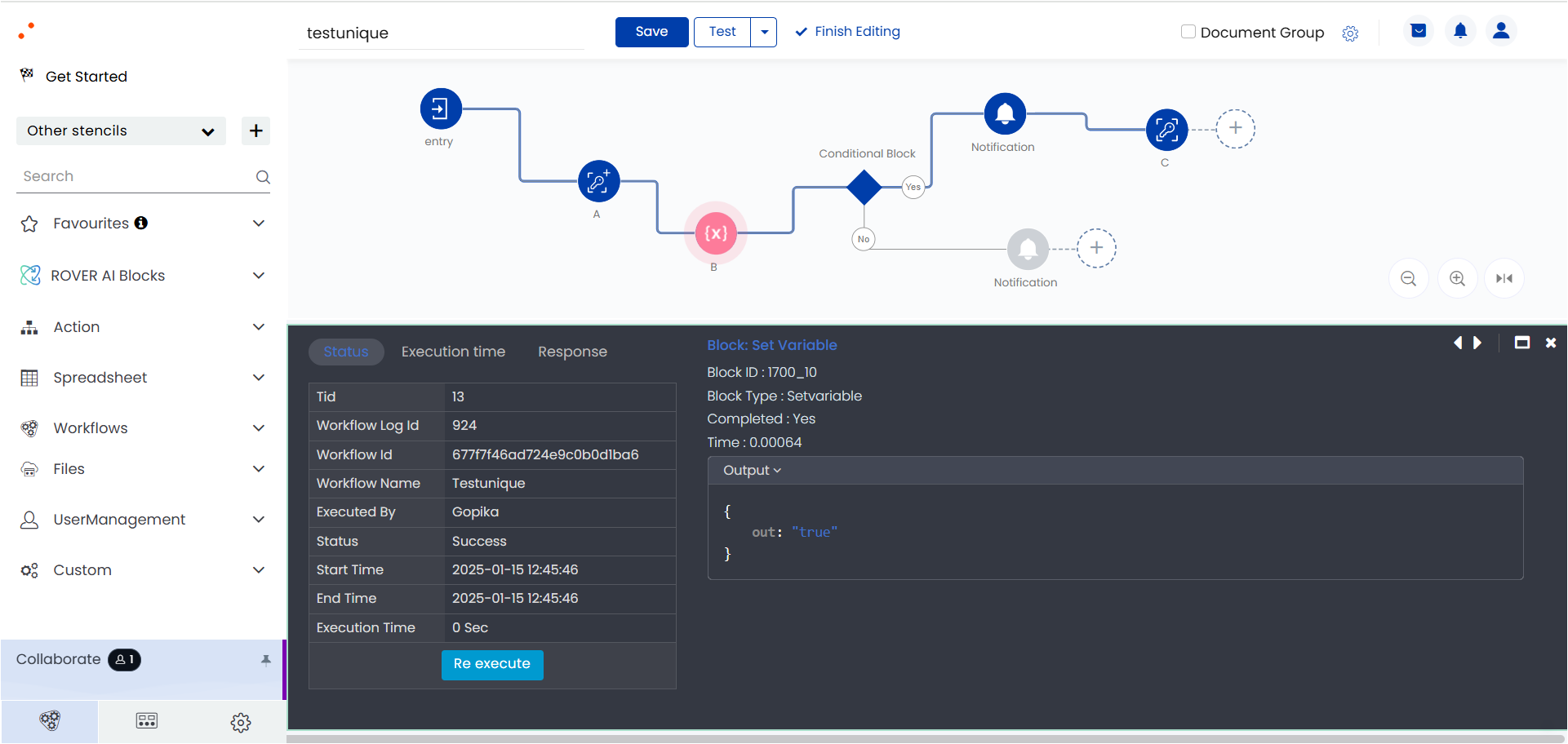
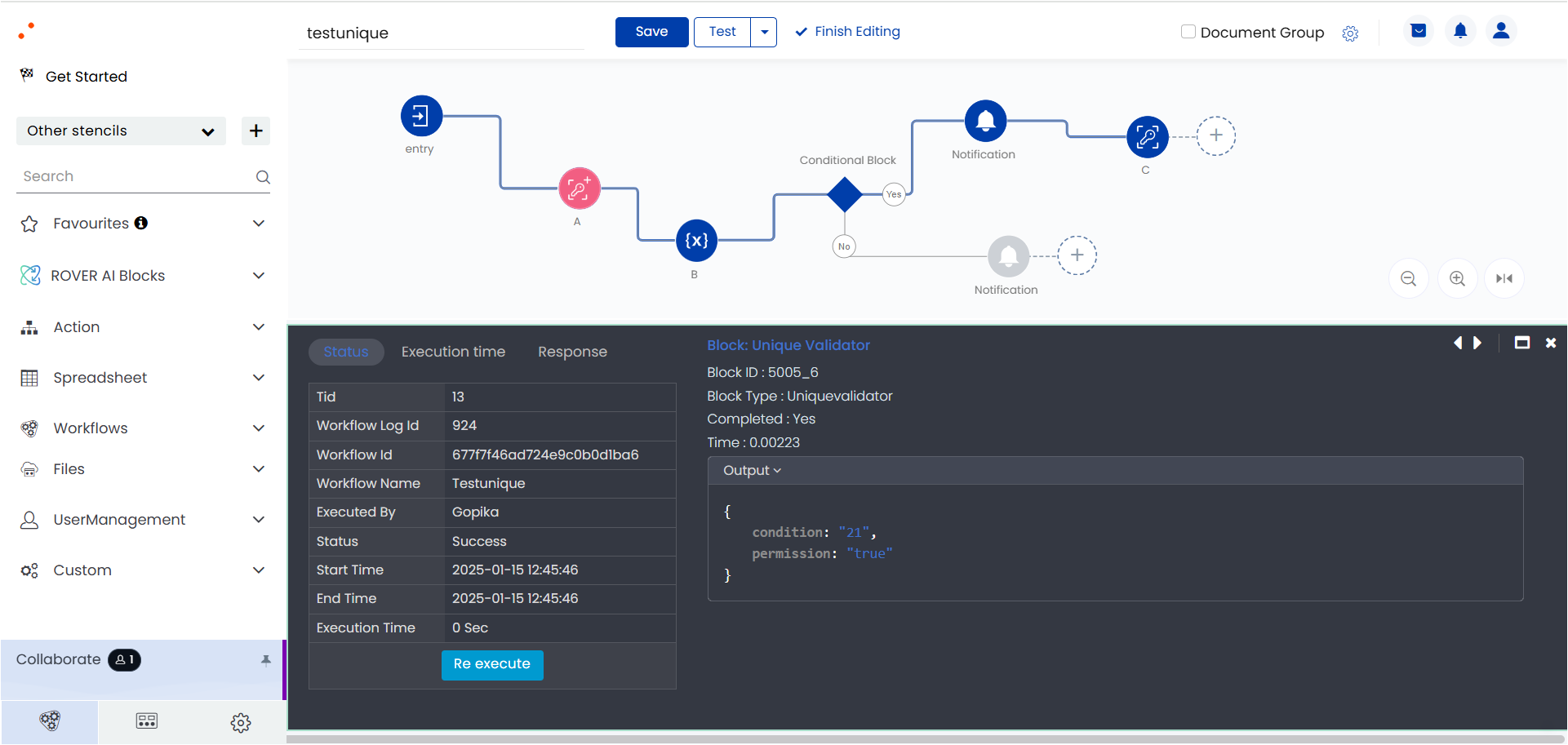
To prevent simultaneous action by multiple users, say for example, multiple users clicking on a button to initiate the same action, a unique validator block has been introduced and added before and after the particular action so that at a time only one user executes the action. Logs will be generated for all the simultaneous actions out of which only one will be true and rest of the others will be false. In the screenshot below, you can find the Unique Validator blocks “A” added before a condition check and “C” after the condition check.
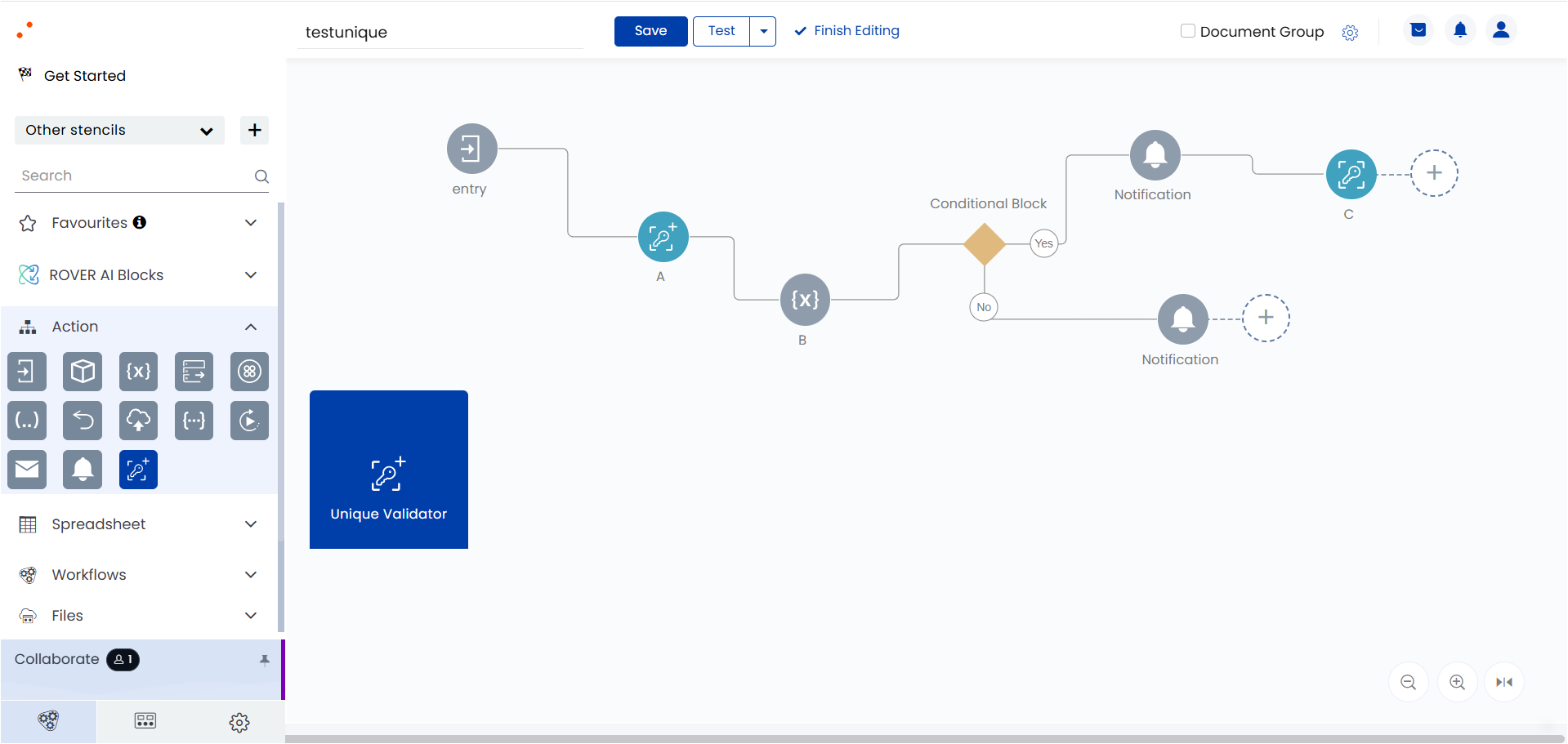
Inside the Unique Validator block, set the action as Create – to create a new check – and add the block before the required action as shown in the screenshot below.

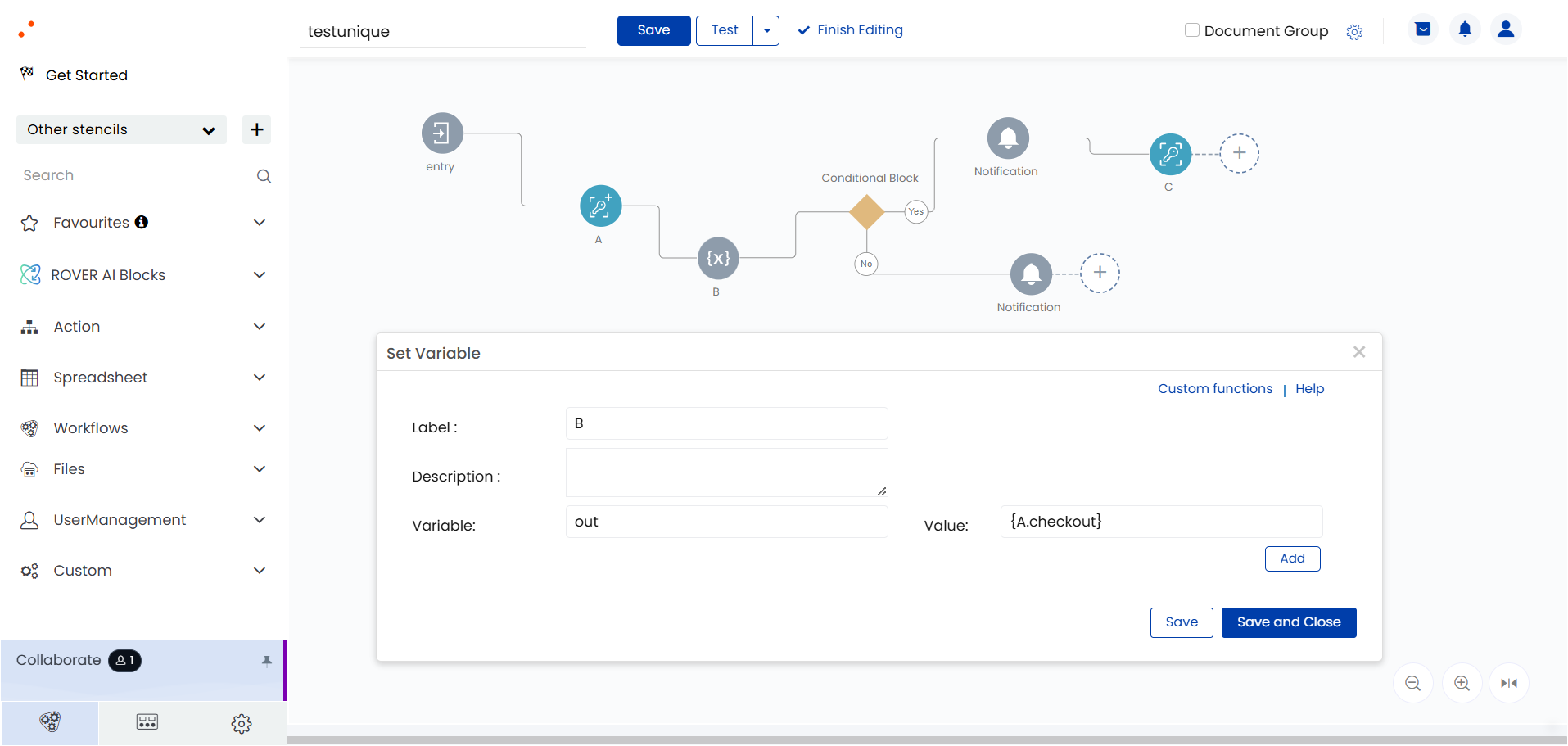
To call the value of the unique validator block inside the next block in the workflow, use the keyword “blockname.checkout”. In this example, to get the output of A inside the set variable block B, call the value as {A.checkout} as shown in the screenshot below.
After the required action, insert another Unique Validator block and set the action as Drop to complete the unique check as shown in the screenshot below.
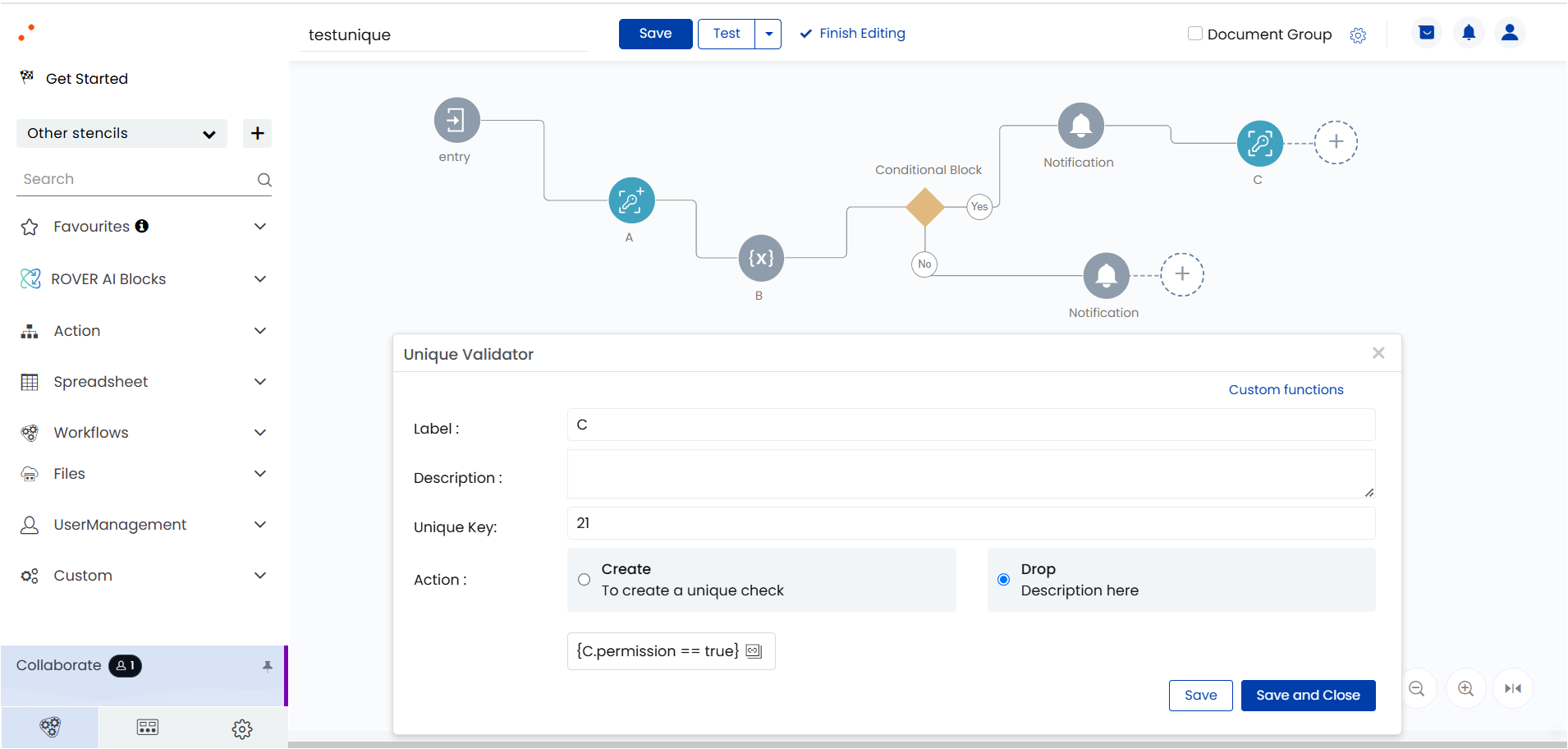
You can pass any values – static or dynamic – in the field Unique Key.
The workflow log of the unique validator block shows that the permission stands “true” only for one action at a time.
The next block, that is the set variable block, receives the output and passes it for the required condition check.