Category
- Release Notes
ZEOS, Version 33.0.0
Release Date: 17/10/2024
About this Release
Release 33.0.0 introduces Rover AI blocks to workflow studio. It also fixes bugs related to guardrail, datalist template, and validation messages.
New Feature
Rover AI blocks added to workflow studio: Two AI blocks – XAgent for Extraction (XAE) and XAgent for Transformation (XAT) have been added to the workflow studio. These blocks are used to extract or transform data fetched from Rover instances.

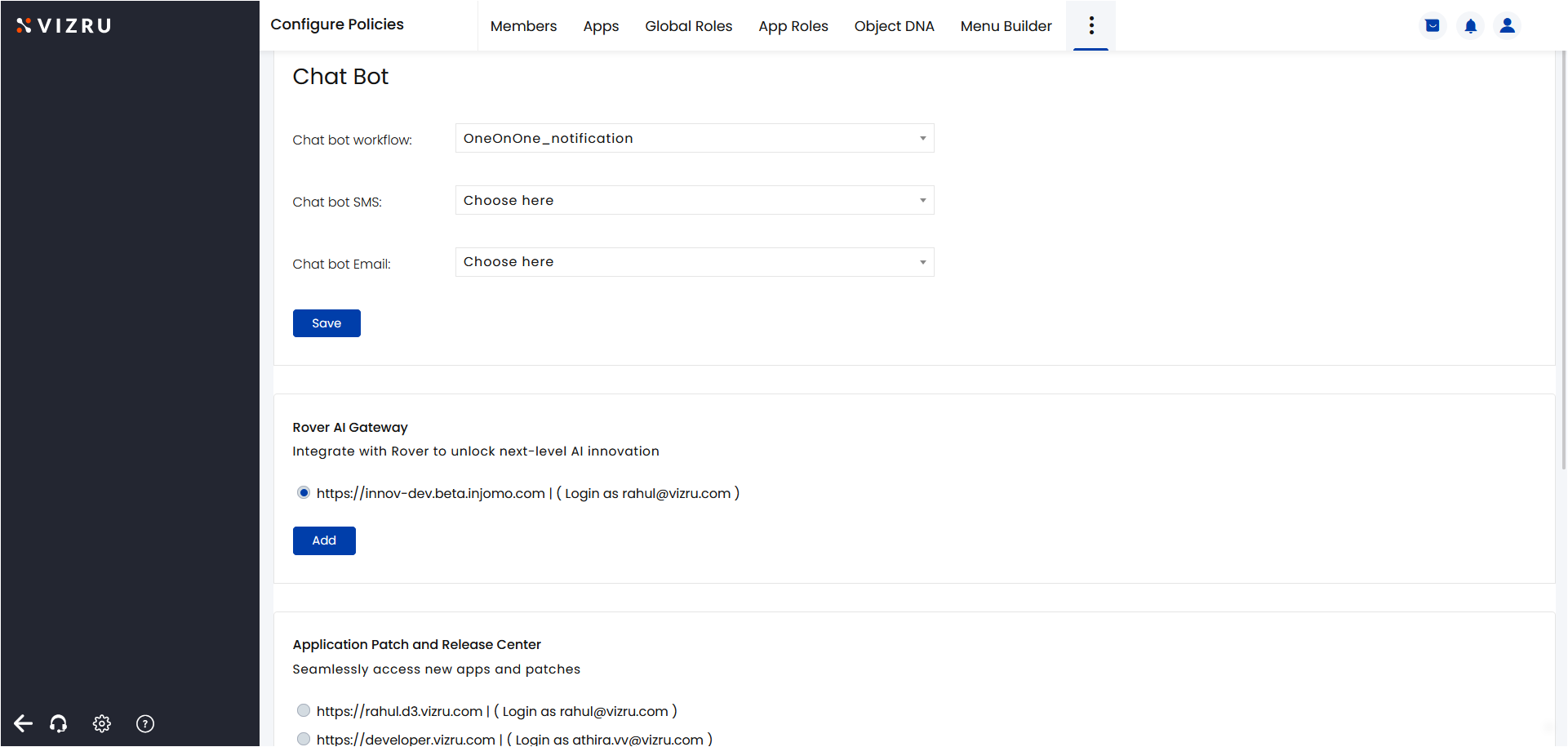
To access the Rover AI blocks, you have to set the storage location of the Rover instance in your tenant from Configure Policies > Settings > Rover AI Gateway.
The XAE block is used to retrieve data from projects saved in Rover instances. Inside this block, you have to select the project, select the data source as Global, My Source, or My Insights, and then specify what data you want to extract along with specific instructions, if any, as shown in the following example.
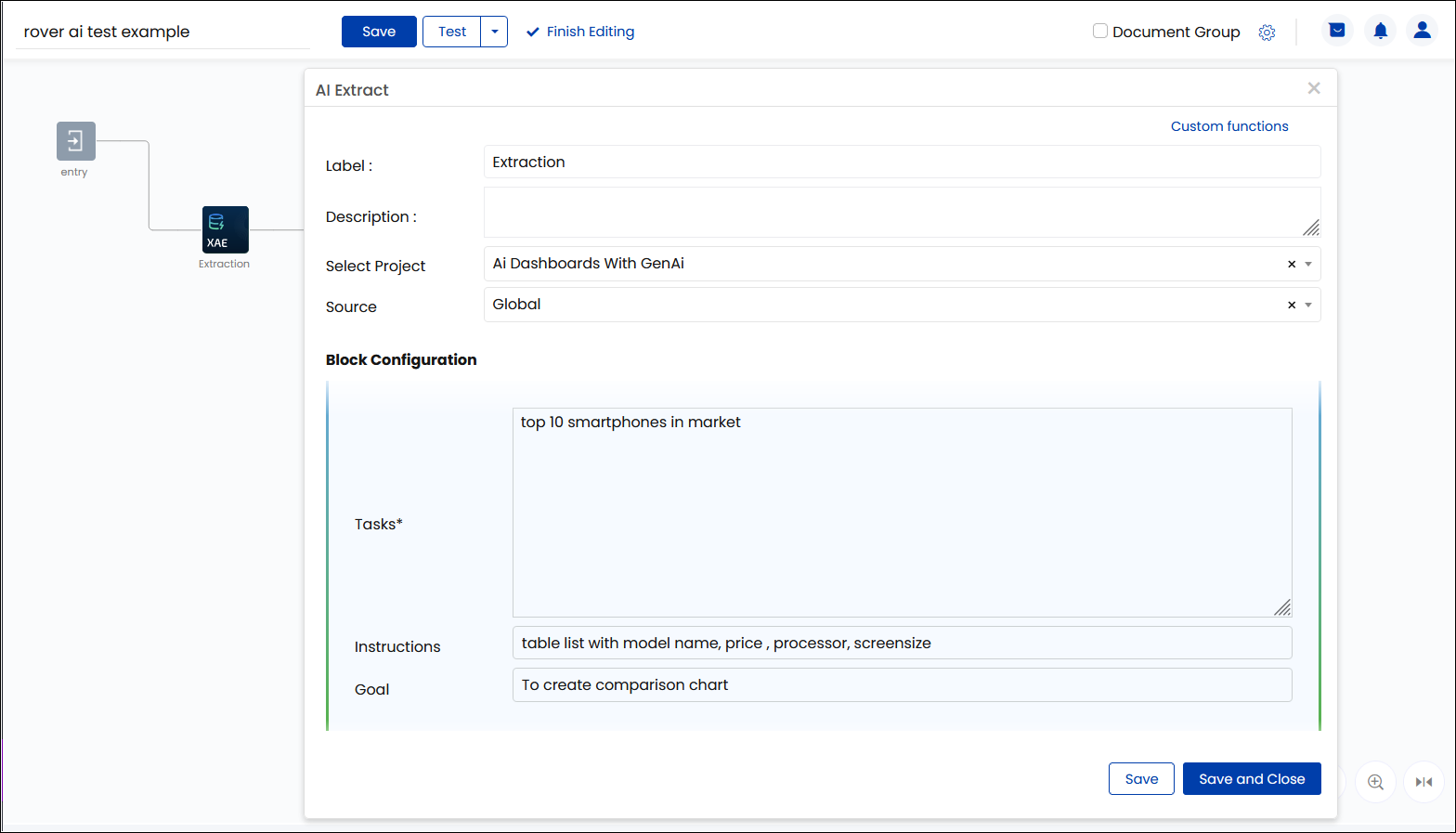
The XAE block will fetch relevant content from the analysis data from the selected project.
The XAT block is used to convert or transform data fetched from Rover instances to different formats such as JSON or array.
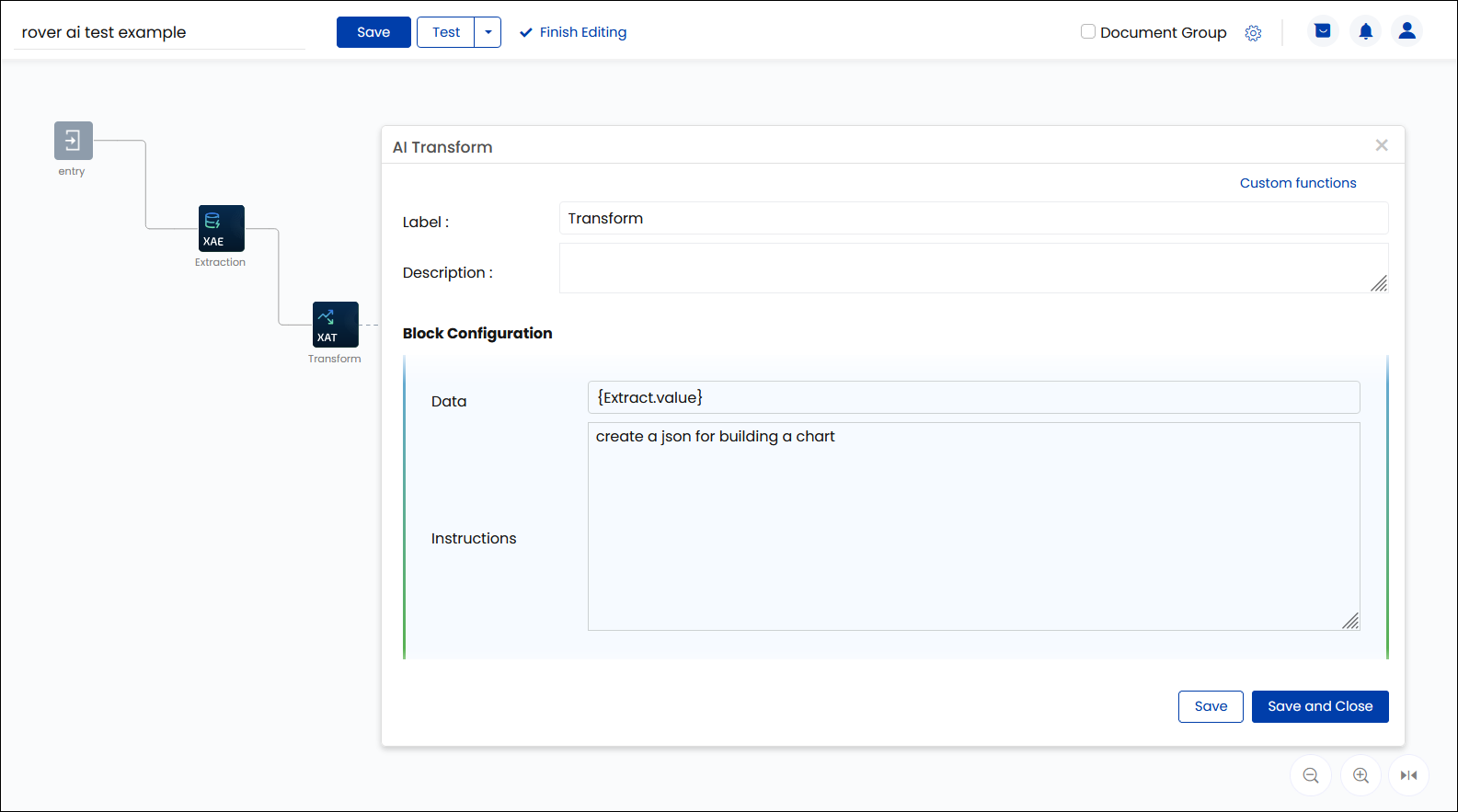
Bug Fixes
- In the scenario where clicking on a left menu in an app takes you to the dashboard of another app, and if you edit the spreadsheet in the second app and click the left menu of the first app at the same time, the message “spreadsheet is not found” was being shown. This issue is fixed.
- File id being shown as the file name while downloading a file from file preview is fixed.
- The validation that is shown when the same widget is added to the dashboard multiple times was not working properly in all the apps. This issue is fixed.
- While editing a template in a datalist, the text box was reduced in size. This issue is fixed.
- While moving two patches with the same component name, the changes applied to their respective init workflows were not reflected in the output properly. The changes applied to only one of them got reflected in the output after guardrailing. This issue is fixed.
- When a reusable workflow was used twice in a workflow, the input values for one of them went missing while guardrailing. This issue is fixed.
- Importing data from CSV to spreadsheet using the option Load Bulk Data was not working. This issue is fixed.