Category
- Release Notes
ZEOS, Version 35.0.0
Release Date: 26/05/2025
About This Release
This release brings new features and enhancements such as reusable dashboard and widget templates, JWT authentication methods, widget size customization, and performance tuning. It also fixes bugs related to loading, real time, smart dropdown and tenant creation.
New Features
1. Reusable template library
Currently we access dashboard and widget templates that have been published to the library or the marketplace. Now you can display a set of templates as a pop-up by passing a JSON to a template function. These templates will have customized data from a spreadsheet or workflow that you pass as JSON.
As an example, you have an HTML card that displays a button. On clicking the button, you want to display a set of templates having customized data. This is done by adding a class “create-template-library” within the source code of the HTML card. The required data is passed through a workflow and the corresponding workflow id is passed along with the script.
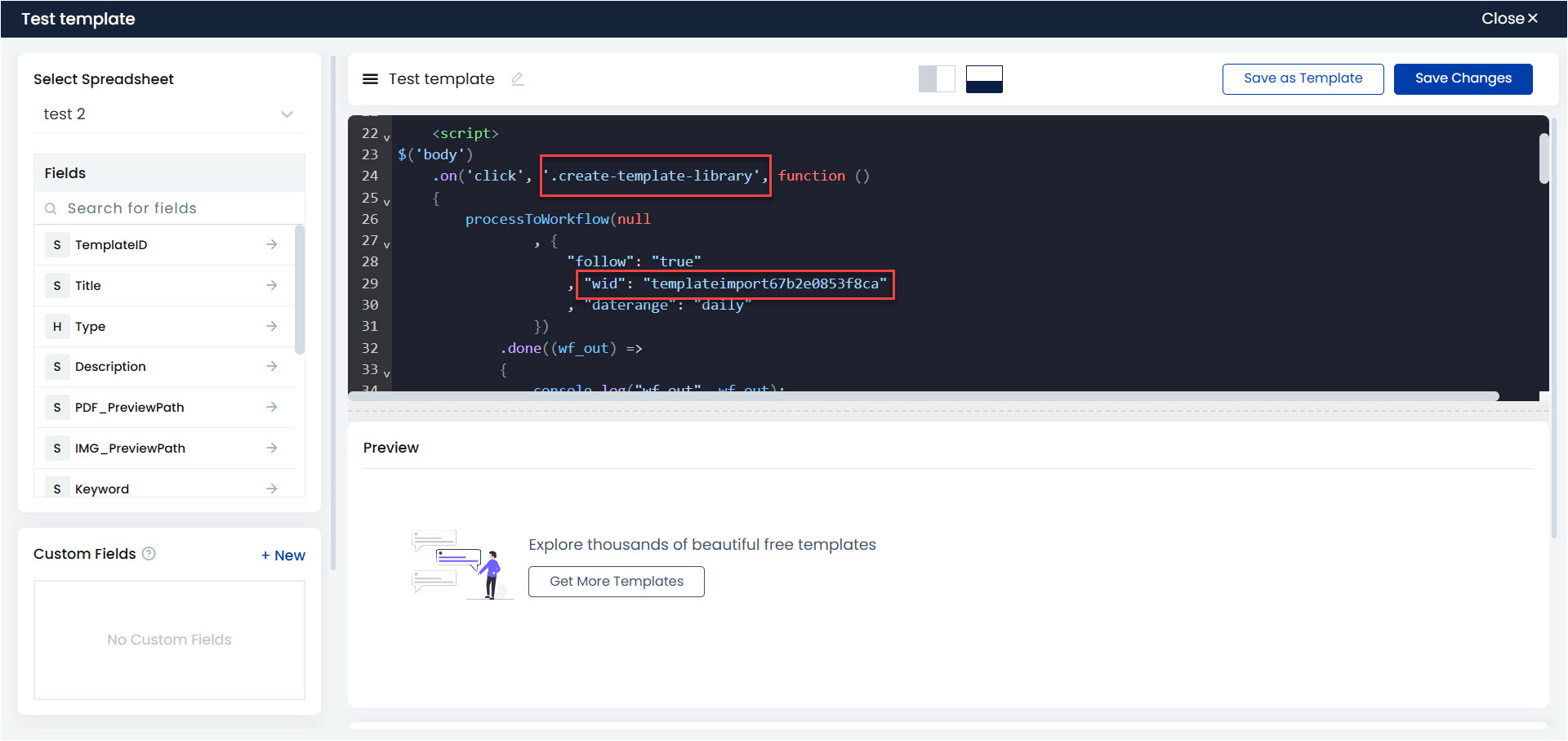
On clicking the button, the workflow is hit and the JSON output is used to generate the required set of templates as a pop-up.
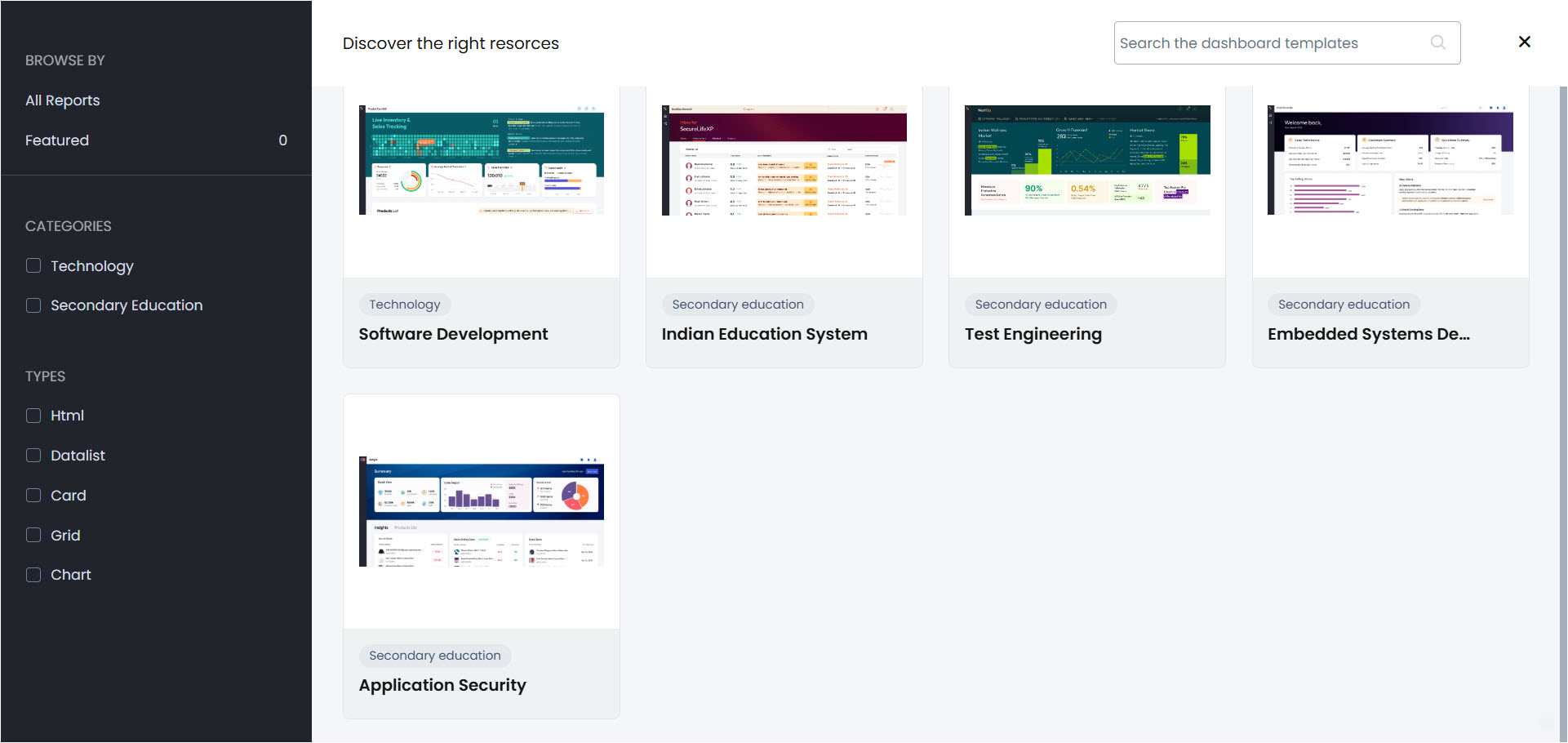
You can also customize the search and preview options on a dashboard. In cases where you need to filter data not by name but by a certain logic, say for example, when you search for the term “electric vehicle”, you expect different aspects like electric vehicle models, manufacturers, composition, etc. to be filtered and not just the term. In such cases, you can build a workflow that executes the check or logic, and pass the workflow id to the search function. This way you can get the expected data as the search result.
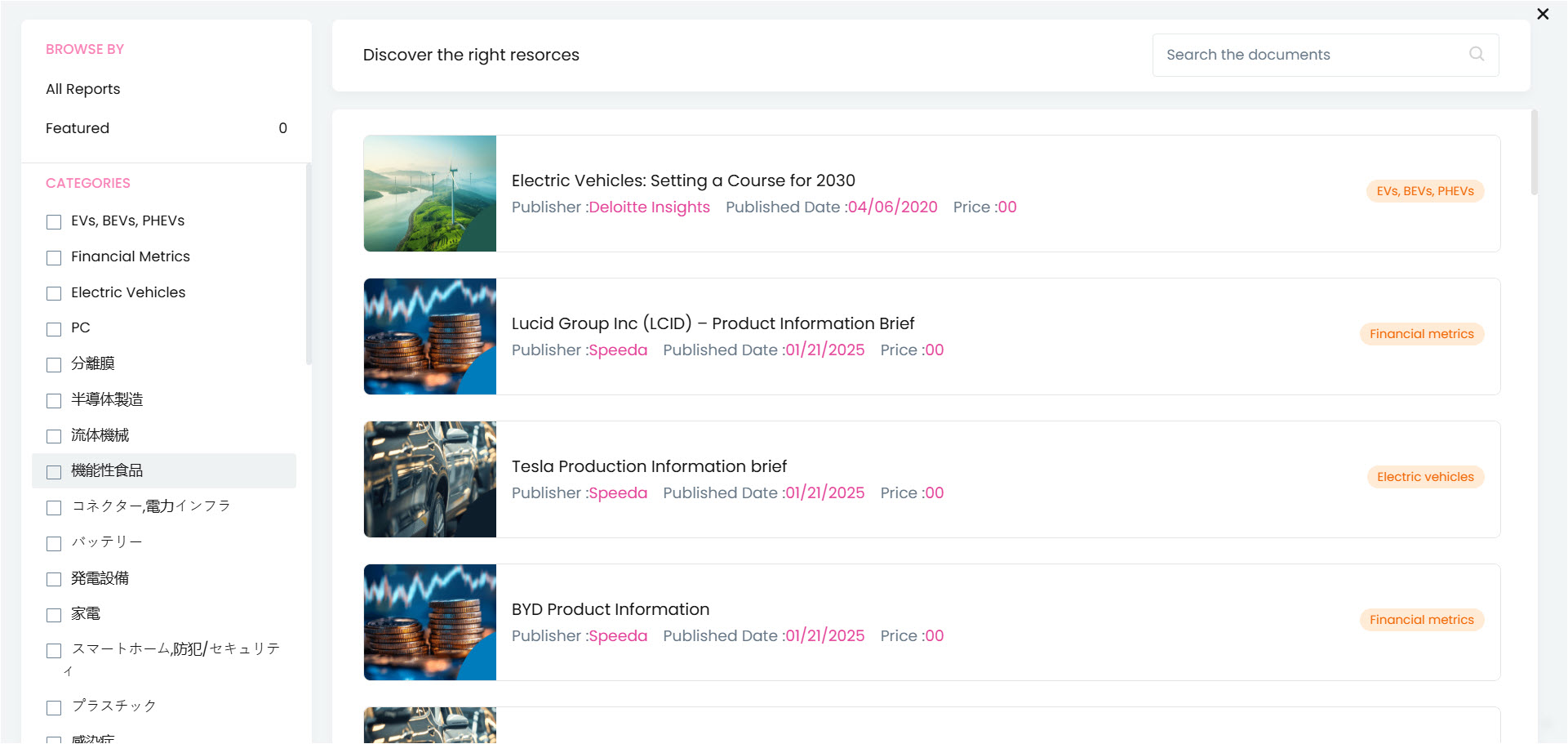
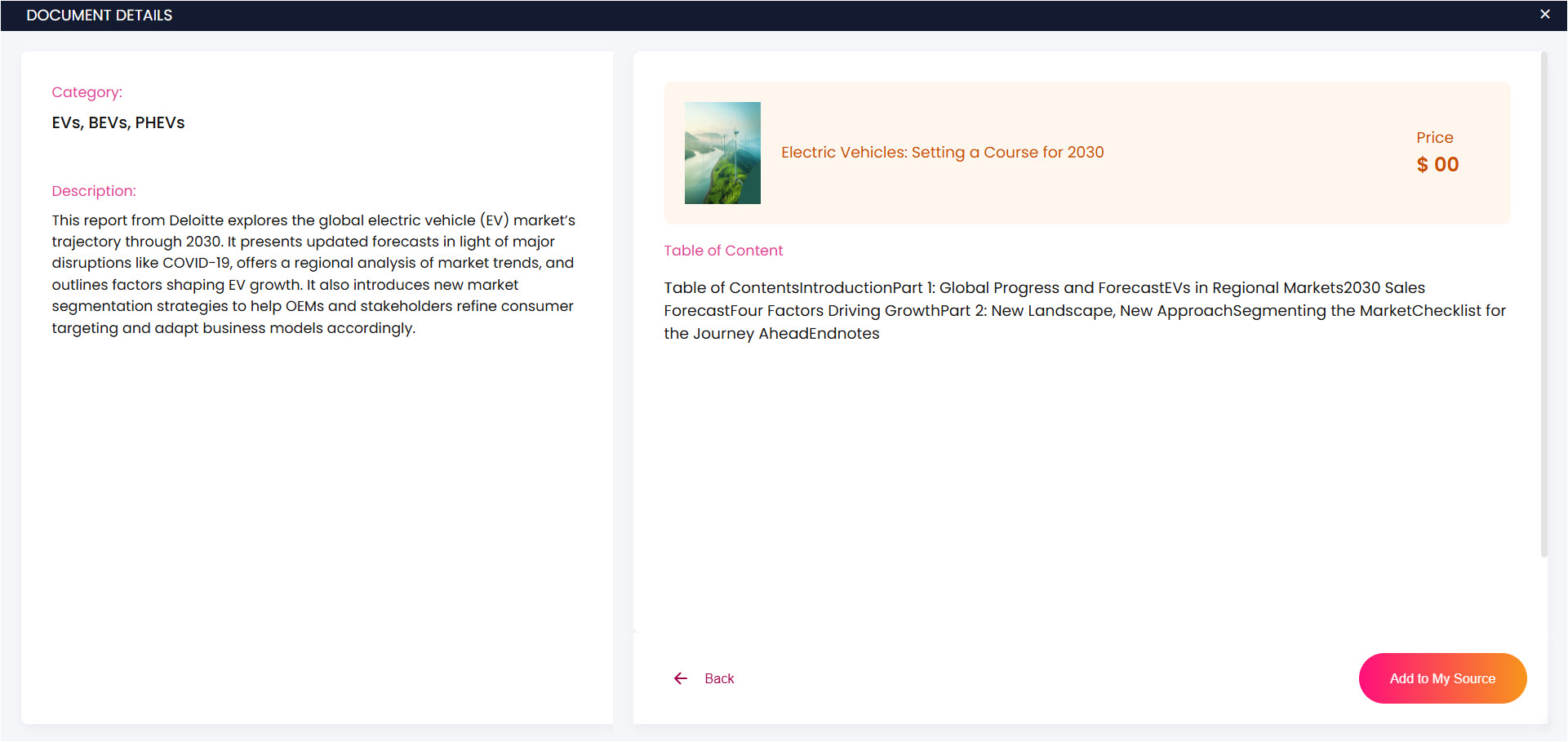
In case of the preview function, instead of showing a template, you can show any customized data. Pass the required data along with the scripts.
In the example shown below, you can find a set of document templates.
On clicking a template, you get the preview of the data you pass.
2. Filter key with filter value null will be excluded in overlay object workflow
Previously in the overlay object workflow, when there were multiple filters and the filter value for one of the filters was null, the filter output showed null data. However, now if any of the filter values is null, the filter key will be excluded and no null data will be displayed. This is done by adding a new variable “empty” and setting the value as “false” inside the set variable block.

3. JWT authentication integrated into platform
To authenticate Vizru API services from mobile apps, whatsapp logins, and other external services, JWT authentication method has been integrated into the user profile service.
4. New User access restricted
A new user with no livespace permissions was able to view the livespace list on clicking the home icon (logo) on the dashboard. This is now restricted. The new user will only have access to the landing dashboard that is set by the admin.
5. New icons added
A set of new icons have been added to the library, which are available in all the tenants.
6. New option to customize widget size
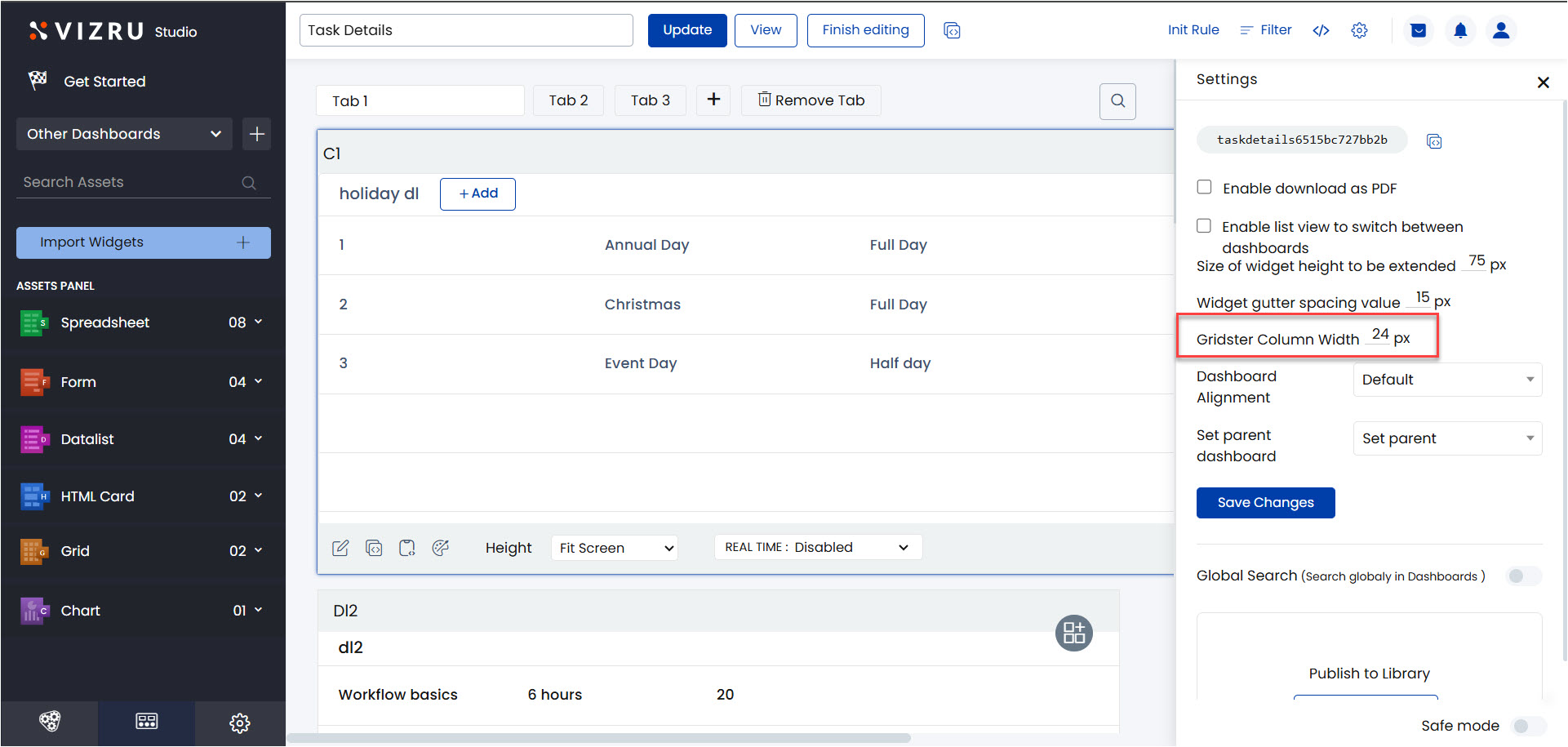
In order to adjust the width of a widget, a new option “Gridster Column Width” has been added to dashboard settings. The width can now be changed from the previous value of 12 to a configurable range of 6 to 24 px.
7. Comprehend service added
A new service called Comprehend Service has been added to extract entities from text.

8. Performance tuning
To reduce loading time while switching between left menus, a performance tuning has been done for dashboards.
Enhancements
1. Enhancement to “viz-stripheight” attribute
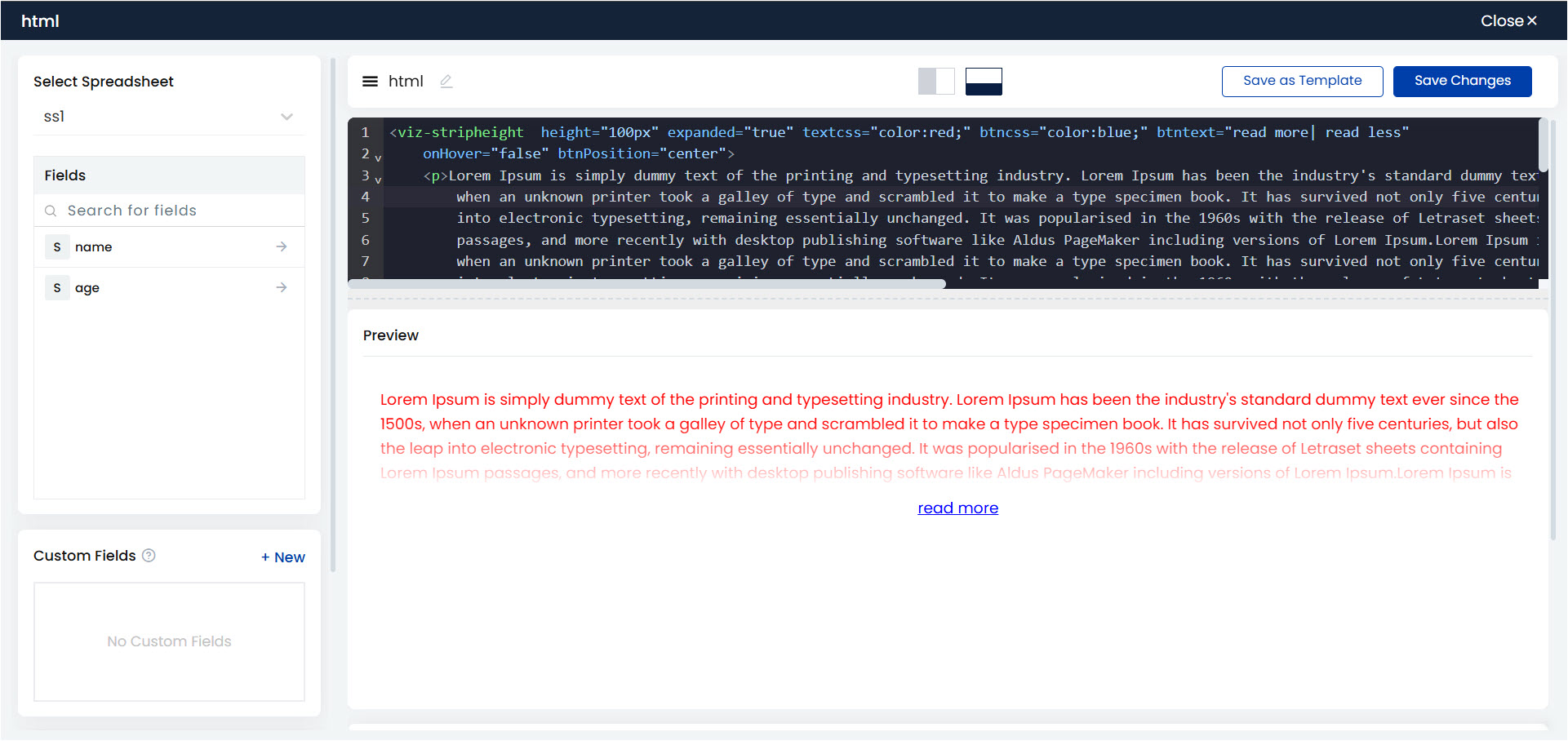
The attribute “viz-stripheight”, which is used to expand and collapse content, can now be customized. You can manage the color, appearance, and position of the Read More/Read Less buttons using the following syntax:
<viz-stripheight height="100px" expanded="true" textcss="color:red;" btncss="color:blue;" btntext="read more| read less"
onHover="false" btnPosition="center">
[data]{description}[/data]
</viz-stripheight>
2. Left menu redesign
The selected left menu will now be highlighted in blue. When the left menu is collapsed, the menu names will also be displayed below the icons.
3. Security patches for SQL injection
Security patches have been added for SQL injection and other potential threats in authentication for platform security (there is a dependency on ChatSystem).
4. Unwanted scripts and styles have been removed from sign up and other authentication pages.
5. JWT fixes and enhancements have been done for authentication and validation.
6. Filter condition logic is updated with dynamic arrays. This is a code-level cleanup to enable better control over element-specific filter conditions.
Bug Fixes
- Under Configure Policies > Members, the option “Show” that lists owners, members, non-members, etc. was not working properly. This issue is fixed.
- Loading issues in the Files section, Members section and Config App Role section have been fixed.
- Console error has been fixed.
- Dependency MinFile has been removed as part of code cleanup.
- An error message “Out of memory” was being shown repeatedly. This issue is fixed.
- Cards could not be resized on the dashboard. This issue is fixed. Also it was not possible to select a tag from the Files section. On selecting, it showed an internal server error. This issue is fixed.
- Real time not working when using tab highlighting feature in tabbed card has been fixed.
- If a new data is entered to a new ss through form, the record count in datalist was shown incorrectly. This issue is fixed.
- Global variables not working within the [no data] tag in HTML card is fixed.
- Signature authentication failing in GCP instances is fixed.
- While switching dashboard menus multiple times, the widget shrinks. This issue is fixed.
- Issue related to the highlighting blue color for left menus and sub-menus in the dark theme is fixed.
- The scheduler under workflow settings was not working as expected. This issue is fixed.
- Issue while applying the “=” operator in the parameter “value” inside real time push block is fixed.
- There was an error while creating a tenant with a domain name having more characters using Deathstar. This issue is fixed.
- Heading missing inside smart dropdown is fixed.
- Smart dropdown not working in Firefox is fixed.
- Global appearance settings were getting moved while guardrailing even without selecting the option Include CSS/JS. This issue is fixed.
- While guardrailing, when a form is selected, the reflexive workflow is automatically selected. However when the form is deselected, the corresponding workflow does not get automatically deselected and also cannot be deselected manually. This issue is fixed.
- It was not possible to delete a tenant created using Deathstar. Also when a new tenant was being created, it showed an error message “Internal Server Error” occasionally. These issues are fixed.
- The issue while arranging two fields in one column in the datalist is fixed.
- When unimpersonated, an error message was being displayed. This issue is fixed.
- For an ss with two fields with datatype set as string, when adding data to the second field through form, the data was getting added to the first field. This issue is fixed.
- Performance issue due to console error fix has been resolved.
- When using the functionalities “Distinct Column” and “Enable for large data”, the output count of the filter block was incorrect. This issue is fixed.
- File preview not working in PDF format is fixed.
- Issues related to Deathstar – search button not working, new companies being added at the end of the list, Next Page footer button not working – have been fixed.
- The issue that arose when the workflow block Add User to App was triggered by a user other than the owner of the app has been fixed.
- While importing an app with an added prefix, the button alignment was broken. This issue is fixed.
- There was an issue with the date range dashboard filter in tabbed card. This issue is fixed.
- Real time functionality was not working with custom DNA and Object DNA. This issue is fixed.
- While searching for a component within a dashboard, app or workflow, once the component is opened and closed, the search list resets to all listing. This issue is fixed. The search list will now stay filtered and retain your search results.
Note:
Code cleanup
file-drag.js is removed from Upload.php and old chat class “dash-chat-trigger” is also removed as part of code cleanup.